A Mac mini in Korea.
Yours alone.

A real Apple silicon machine running native macOS on KT home broadband with a fixed residential IP, used by you and nobody else. Build and ship Apple apps, run automation and 24/7 jobs, or work from a local Korean network, connecting from anywhere in the world.

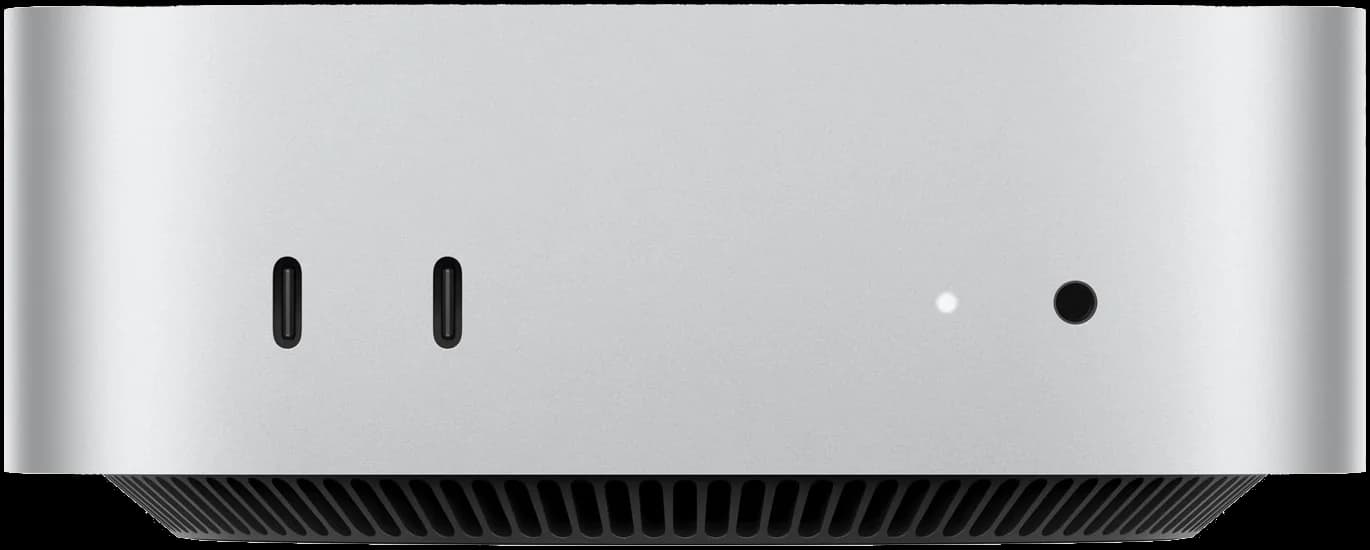
Front of a silver Mac mini with two USB-C ports and a headphone jack
Time zone
GMT+9 · Korea
System
Native macOS
Network exit
KT broadband, Korea
Device
Physical computer in Korea
Used by
Only you

What you can do with it

A complete Mac: what you install and run is up to you. These are the things customers use it for most.

Build and ship Apple apps

Native macOS on Apple silicon: install Xcode to compile, run simulators, sign, distribute through TestFlight and ship to the App Store. Useful when you have no Mac at hand, or just want builds off your own machine.

  • Xcode
  • iOS Simulator
  • Signing and release

AI tools and coding assistants

Install Claude Code, Codex, Cursor and other AI tools, sign in and start working. Your projects and setup stay on this machine, on a fixed local network in Korea, and long coding jobs never tie up your own computer.

  • Claude Code
  • Codex
  • Gemini CLI
  • Cursor

Build server and CI runner

Register it as a self-hosted GitHub Actions or GitLab runner, or run iOS builds with Fastlane, Flutter or React Native.

Jobs that run around the clock

Crawlers, scheduled scripts, automation workflows or always-on AI assistants such as OpenClaw keep running in the background. The Mac mini stays on after you disconnect.

Work that needs a Korean network

Reach Korean sites and apps from a local IP: test localized builds, check Korean app store and search results, run local e-commerce and operations.

Editing, design and Mac-only apps

Use Mac-only software such as Final Cut Pro, Logic Pro or Sketch on this machine.

You bring your own software accounts and licenses.

Why a real Mac in Korea

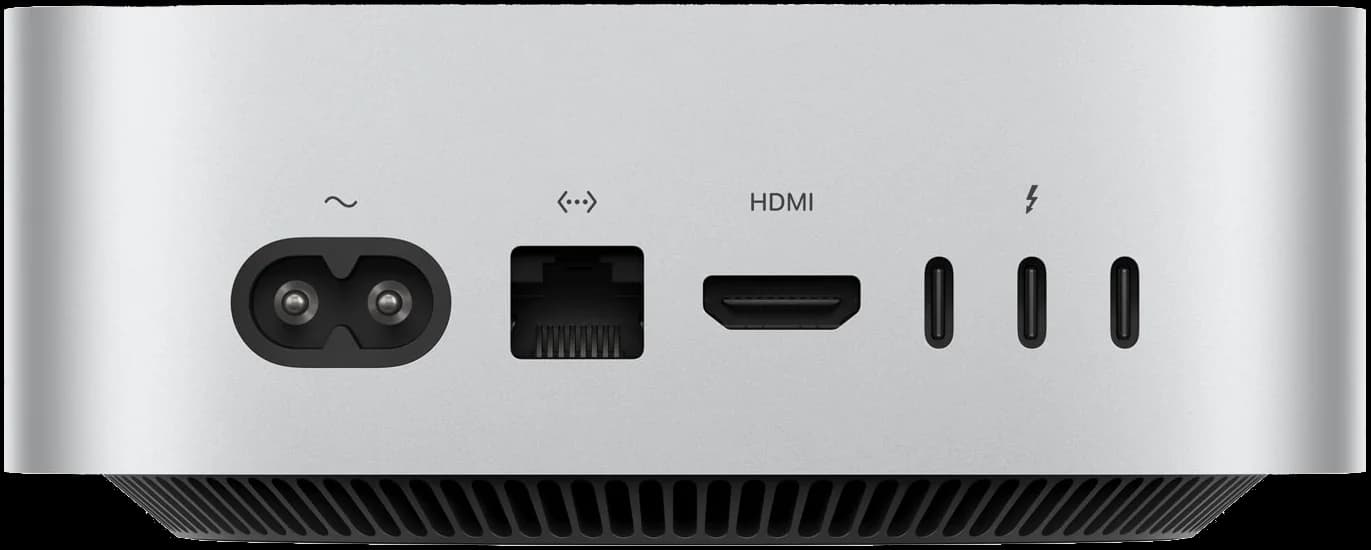
Back of a Mac mini with a network cable connected to KT broadband in Korea
The Ethernet port connects straight to local KT broadband in Korea

Local network

Typical setup:Data center IP · sharedUs:Local KT broadband · yours only

A KT home broadband line (Korea’s largest carrier) plugs straight into this computer, with a fixed residential IP, no proxy or relay, and an exit only you use.

  1. Physical computer in Korea
  2. Local KT broadband
  3. Website

Real hardware

Typical setup:Cloud VM · shared hostUs:A physical Mac mini

Real Apple silicon and native macOS, no virtualization, no performance shared with anyone.

Hardware
Physical Apple Mac mini
System
Native macOS install
Virtualization
None

Yours alone

Typical setup:One machine, many usersUs:One machine, one customer

For your whole term the machine and network exit are yours alone, with admin access; it is wiped before anyone else gets it.

Mac mini
Yours only
Network exit
Used by you only
After your term
Wiped and reinstalled

Consistent settings

Typical setup:Korean IP · wrong time zoneUs:Korea, all the way

Time zone, language and region are set to Korea to match the IP; switch the language if you prefer, it is your machine.

Time zone
Asia/Seoul · GMT+9
Region and language
Korea · Korean

Network: KT home broadband in Korea

The machine sits in Korea with a cable straight into KT (Korea’s largest carrier) home broadband, with no proxy or relay. The exit is a fixed KT IP whose ASN owner and operator are both KT (“dual ISP”), and IP lookup sites show it as native home broadband, not a data center IP posing as a “residential” one.

Network exit
Local KT broadband, Korea
IP type
Fixed residential IP · dual ISP
Carrier / ASN
KT · AS4766
Region
Korea
DNS
Local Korean carrier
Proxy or relay
None

1 / 4Claude AI IP check: residential IP (ISP), carrier Korea Telecom, trust score 100

Screenshot of the ip.net.coffee Claude AI IP risk check: exit in Korea, residential IP, ASN AS4766, carrier Korea Telecom, no VPN, proxy or Tor detected, trust score 100
1 / 4Claude AI IP check: residential IP (ISP), carrier Korea Telecom, trust score 100

Screenshots show results at the time of testing. Each computer has its own IP, and you can check yours after delivery.

Typical setup
  1. Your computer
  2. Proxy node
  3. Relay
  4. Data center exit
  5. Website
AIMacMini
  1. Physical computer in Korea
  2. Local KT broadband
  3. Website

Wherever you are, the remote app shows you this computer’s screen and sends your keyboard and mouse to it; the machine in Korea is what actually reaches websites and services.

How the options compare

Compared onProxy / VPNCloud virtual MacShared remote MacAIMacMiniReal Mac in Korea
Network exit
Data center IP, shared
Data center range
Exit shared with other users
Local KT broadband, fixed residential IP
Real device
Real computer, but far from the exit
Virtual machine
Physical, but passed between users
Physical Mac mini
Time zone and language match
Usually not
Manual, easy to miss
Whatever the last user set
All set to Korea
Shared with others
Exit shared with others
Own machine, crowded range
Machine and exit both shared
One per person, private exit
How you connect
Local proxy, direct access
Remote desktop into a data center
Take turns by time slot
Remote into the machine in Korea with NetEase UU Remote or another app
Choose what to compare with
Network exit
Proxy / VPN:Data center IP, shared
Cloud virtual Mac:Data center range
Shared remote Mac:Exit shared with other users
AIMacMini:Local KT broadband, fixed residential IP
Real device
Proxy / VPN:Real computer, but far from the exit
Cloud virtual Mac:Virtual machine
Shared remote Mac:Physical, but passed between users
AIMacMini:Physical Mac mini
Time zone and language match
Proxy / VPN:Usually not
Cloud virtual Mac:Manual, easy to miss
Shared remote Mac:Whatever the last user set
AIMacMini:All set to Korea
Shared with others
Proxy / VPN:Exit shared with others
Cloud virtual Mac:Own machine, crowded range
Shared remote Mac:Machine and exit both shared
AIMacMini:One per person, private exit
How you connect
Proxy / VPN:Local proxy, direct access
Cloud virtual Mac:Remote desktop into a data center
Shared remote Mac:Take turns by time slot
AIMacMini:Remote into the machine in Korea with NetEase UU Remote or another app
Meets itPartlyNo

Two products, reserved separately

Front of a silver Mac mini with two USB-C ports and a headphone jack

Mac mini

A physical Mac mini in Korea that only you use, on KT broadband with a fixed IP. Development, builds, automation, work on a Korean network: install whatever you need.

From $199.00 per 30 days

Claude subscription

Claude Pro, Max and Ultra accounts subscribed by local residents abroad with their own physical credit cards: well-established local accounts, one customer per account.

From $49.90 per 30 days

How to get started

  1. 1

    Pick a product

    Mac mini or a Claude subscription, each bought on its own, billed in 30-day terms.

  2. 2

    Order and pay

    Pay with Alipay or USDT directly, or make a deposit to your wallet first and pay from the balance. Everything is pre-order: once you pay, we prepare yours in order of purchase and deliver a Mac mini within the time shown on the plan and aim to deliver a Claude subscription the same day.

  3. 3

    Start using it

    Delivery details arrive on the site, stored encrypted: remote connection details for the Mac mini (NetEase UU Remote recommended, or pick another app at checkout), and the sign-in for a Claude subscription.

Get started

Once you pay we get it ready and send the details to the site; connect from anywhere. Not sure what to pick? Ask support first.