Multitask without lag
A row of browser tabs, the Claude desktop app and several terminals at once: the 12-core CPU handles it.
Apple M6 chip and native macOS on KT home broadband in Korea with a fixed residential IP; time zone, region and language are set to Korea. Connect from anywhere with NetEase UU Remote or another remote app.
From $199.00 per 30 days
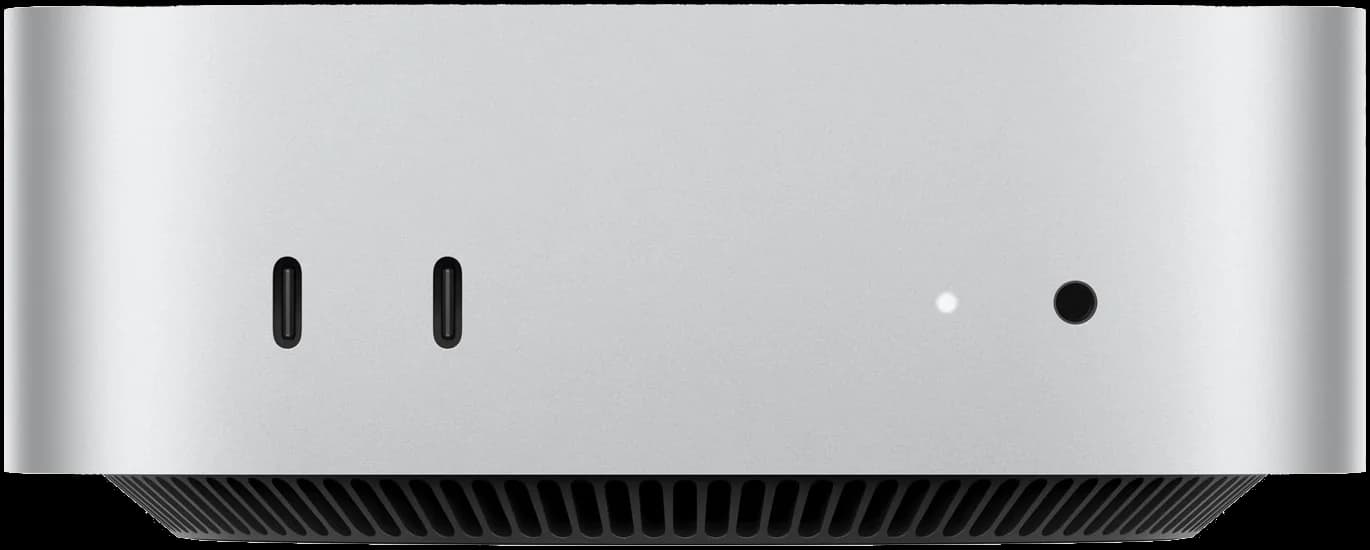
Every customer gets one physical machine in our Mac mini farm in Korea. No virtualization, the hardware looks like any ordinary Mac, and the whole machine is yours alone.
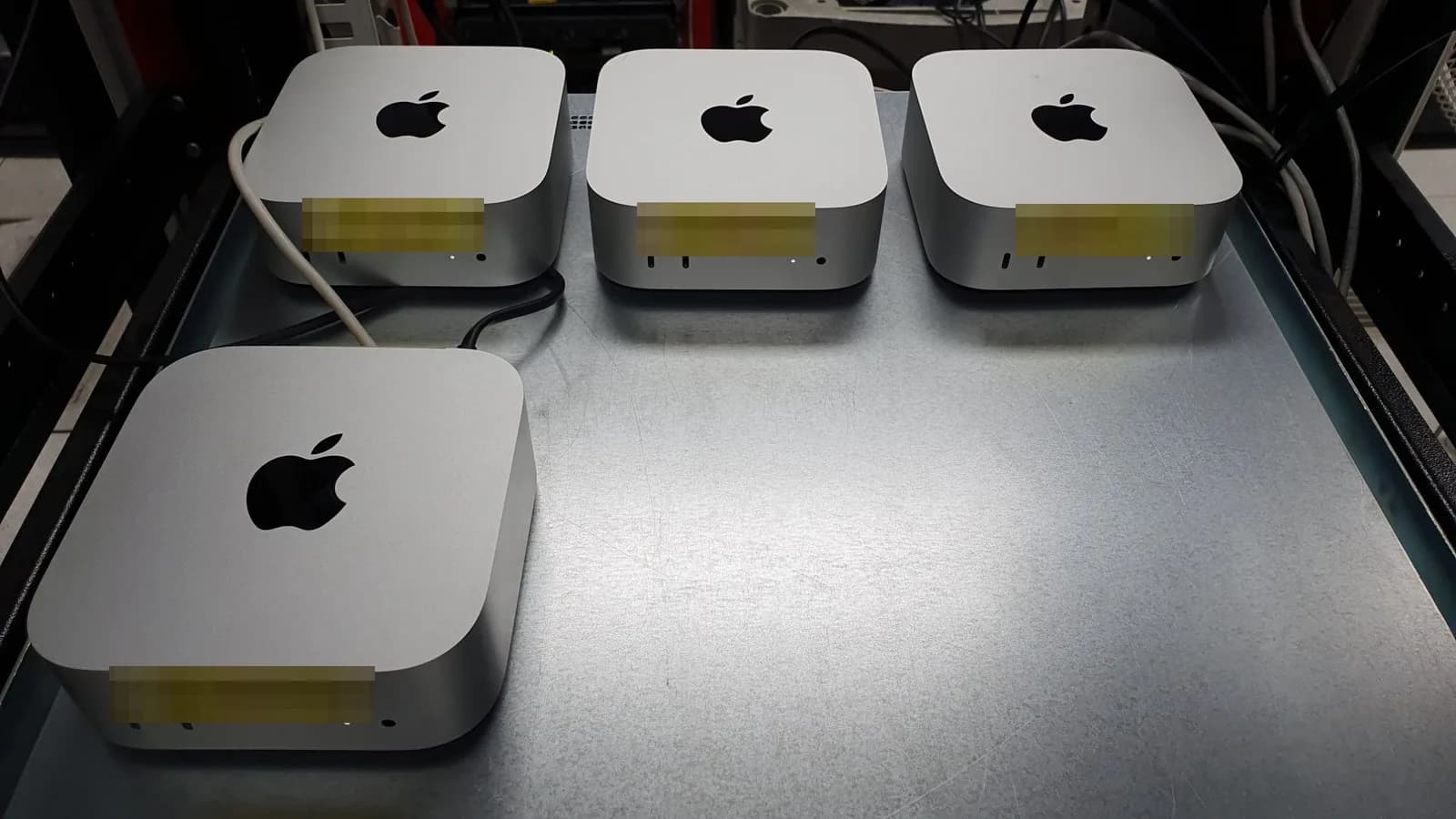
One fixed configuration, nothing to choose.
 Apple M6 chip12-core CPU with 2 super cores
Specifications from Apple’s official tech specs.
A row of browser tabs, the Claude desktop app and several terminals at once: the 12-core CPU handles it.
CPU and GPU share 16GB of memory with 153GB/s bandwidth, so switching between projects and windows is instant.
Low power and little heat make it ideal for running 24/7, ready whenever you connect.
We recommend NetEase UU Remote for connecting to this Mac mini from a computer, phone or tablet, with no VPN needed. Other common remote apps work too: you can pick one when you order, and NetEase UU Remote is the default.

No VPN needed. Typing and scrolling latency mostly depends on your own network.
Connect from home or the office; with UU Remote on your phone you can check whether Claude Code has finished any time.
Drag local code and documents onto the Mac in Korea and send results back, no cloud drive needed.
4K at 144 fps is the maximum UU Remote officially supports; actual quality and latency depend on your local network. NetEase UU Remote is a NetEase product, and this site is not affiliated with NetEase.
This computer is wired straight into KT’s local broadband in Korea, with a fixed KT residential IP (native, dual ISP) and no proxy or relay. Wherever you are, the remote app shows its screen, and the machine in Korea is what reaches websites and services.
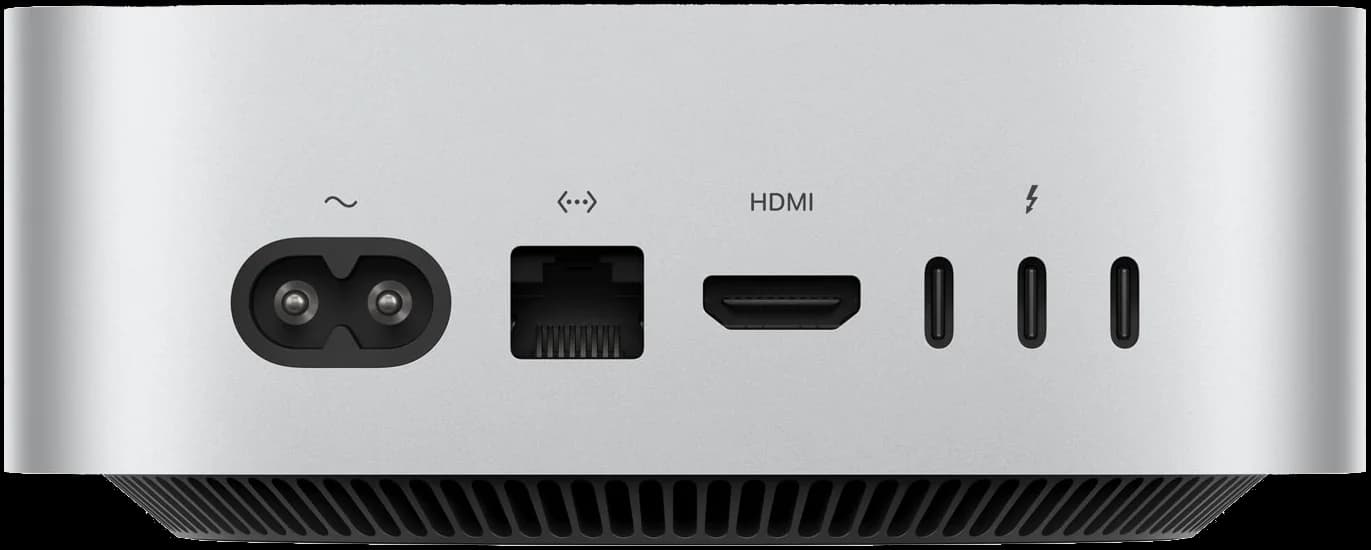 KT broadband · Korea
The Ethernet port connects straight to local KT broadband in Korea
Wherever you are, the remote app shows you this computer’s screen and sends your keyboard and mouse to it; the machine in Korea is what actually reaches websites and services.
Results from several popular IP lookup sites, tested on one of our customer machines (IP address masked): all show a native KT home broadband IP in Korea, with no proxy, VPN or abuse records.
Screenshots show results at the time of testing. Each computer has its own IP, and you can check yours after delivery.
An IP in Korea with a UTC+8 system time zone is the most common mismatch. This computer’s time zone, language, region and DNS are all set up for Korea.
For your whole term the machine and network exit are yours alone; every sign-in and session comes from you.
A complete Mac: what you install and run is up to you. These are the things customers use it for most.
Native macOS on Apple silicon: install Xcode to compile, run simulators, sign, distribute through TestFlight and ship to the App Store. Useful when you have no Mac at hand, or just want builds off your own machine.
Install Claude Code, Codex, Cursor and other AI tools, sign in and start working. Your projects and setup stay on this machine, on a fixed local network in Korea, and long coding jobs never tie up your own computer.
Need a Claude account? We sell Claude subscriptions opened with real local cards separately
Register it as a self-hosted GitHub Actions or GitLab runner, or run iOS builds with Fastlane, Flutter or React Native.
Crawlers, scheduled scripts, automation workflows or always-on AI assistants such as OpenClaw keep running in the background. The Mac mini stays on after you disconnect.
Reach Korean sites and apps from a local IP: test localized builds, check Korean app store and search results, run local e-commerce and operations.
Use Mac-only software such as Final Cut Pro, Logic Pro or Sketch on this machine.
You bring your own software accounts and licenses.
Mac mini or a Claude subscription, each bought on its own, billed in 30-day terms.
Pay with Alipay or USDT directly, or make a deposit to your wallet first and pay from the balance. Everything is pre-order: once you pay, we prepare yours in order of purchase and deliver a Mac mini within the time shown on the plan and aim to deliver a Claude subscription the same day.
Delivery details arrive on the site, stored encrypted: remote connection details for the Mac mini (NetEase UU Remote recommended, or pick another app at checkout), and the sign-in for a Claude subscription.
Mac mini
Multi-month terms: 3 / 6 / 12, save up to 15%
Pre-order · delivered within 7 days of payment
A physical Apple M6 Mac mini in South Korea, all yours, online 24/7
Prices are in US dollars ($), billed in 30-day periods. Pay with Alipay or USDT when you order, or use your wallet balance (1 USDT = 1 USD); the order page has the final price. Everything is pre-order: once you pay, we prepare yours in order of purchase and deliver a Mac mini within the time shown on the plan and aim to deliver a Claude subscription the same day. Some plans can be bought 3, 6 or 12 months at a time with a discount (as shown on the plan card); a Mac mini lets you choose the length again when renewing.
A cloud virtual Mac runs on a shared host in a data center with a data center exit, which many sites and services can spot at a glance. Ours is a real Mac mini running native macOS on KT home broadband in Korea with a fixed residential IP, set to Korean time and language, and used only by you: no performance shared with others, and the reputation of the network exit is yours alone.
Typing, coding and browsing feel smooth. In mainland China we recommend NetEase UU Remote (direct connection); elsewhere you can choose RustDesk or AnyDesk at checkout. The experience depends on your local network, so a stable broadband or 5G connection is best.
It is a complete Mac mini running native macOS, and what you install is up to you. Common uses: Apple app development with Xcode, simulators, signing and release; a build server or self-hosted GitHub Actions / GitLab runner; testing and operations that need a Korean IP; AI tools such as Claude Code, Codex and Cursor; scripts, automation and always-on AI assistants that keep running 24/7 after you disconnect; Mac-only software such as Final Cut Pro.
You bring your own software accounts and licenses.
No. The Mac mini is the machine only, and you use your own software accounts. If you need a Claude account, we sell Claude subscriptions (Pro, Max, Ultra) separately: subscribed by local residents abroad with their own physical credit cards, one account per customer. Buy one on its own or alongside a Mac mini.
No. Each computer serves one customer for the whole rental, and the network exit isn’t shared either.
When you order or renew you can pay directly with Alipay or USDT, or deposit to your wallet and pay from your balance. A Mac mini can be renewed manually before expiry, or with auto-renew (charged automatically from 48 hours before expiry); a Claude subscription runs one month at a time with no renewal. Expiry is final: after it you can’t renew and need to reserve again and wait for a new delivery, and data on the machine is not kept. Billing is in 30-day periods, there are no trials, and orders can’t be cancelled or refunded; all sales are final.
Contact support through a ticket; we’re here for anything that comes up. The Contact us page lists all support channels.
Once you pay we get it ready and send the details to the site; connect from anywhere. Not sure what to pick? Ask support first.